
The Cepher
Cepher Publishing GroupBooks & Reference
4.8443.00 Reviews
- Version
- 22.0.50
- Installs
- 10.00K
- Age Rating
- Everyone
Screenshots
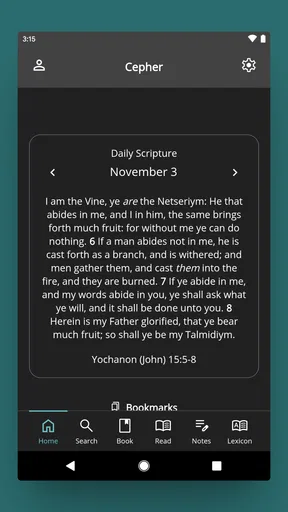
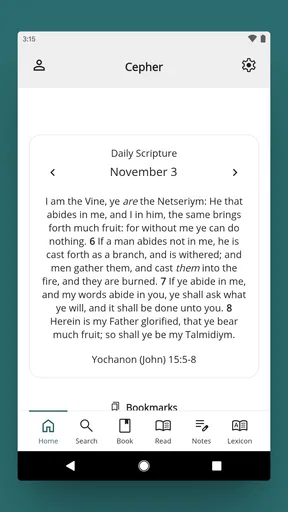
Our Review of The Cepher
 Analysis by Appyee
Let’s dive into the world of The Cepher, an app that brings biblical literature right to your fingertips. If you're someone who loves exploring religious texts or simply enjoys a good read, this app might just become your new best friend.
What to expect as a first-time reader
Before opening a book, it helps to know what kind of reading experience you are choosing. The Cepher is a Books & Reference app from Cepher Publishing Group, built around biblical texts and related writings. It is not a general-purpose e-book reader or a substitute for a church, class, or study group. Its appeal is the chance to spend time with a particular collection in one place and follow questions that might not come up when reading only a familiar edition.
The app has a 4.7 average from over 800 ratings, and it has been installed more than 10,000 times. Those figures suggest an established audience, but they do not tell me whether its editorial approach will suit every reader. I would treat it as a focused resource: useful if you are curious about the texts it brings together, less useful if you simply want the most familiar Bible translation in a minimal reading app.
A first-time user may find the range of material both the attraction and the challenge. Rather than deciding to read broadly straight away, choose one question or passage. That gives the collection a purpose and makes it easier to tell whether the app’s presentation works for you. I find this a more reassuring way to begin than scrolling through a large library without a plan.
What’s the Buzz About?
So, what exactly is The Cepher? In essence, it’s an app designed to provide users with a comprehensive collection of biblical texts. The app includes ancient scriptures, additional books, and provides a unique perspective on traditional texts. Whether you're a theology student or just curious, this app has something for everyone.
Features That Stand Out
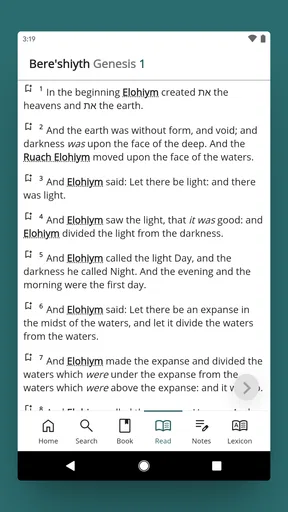
When I first launched the app, I was greeted by a user-friendly interface that made navigation a breeze. The clean design is perfect for both seasoned readers and newcomers alike. Here’s what else caught my eye:
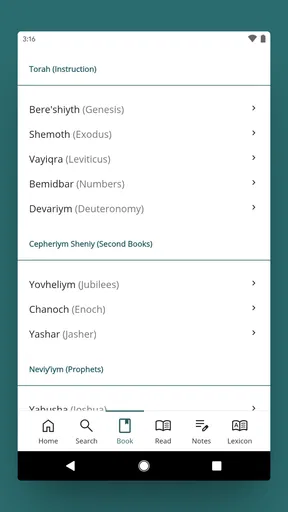
- Extensive Library: The app boasts not just the canonical biblical texts but also includes apocrypha and other rare writings.
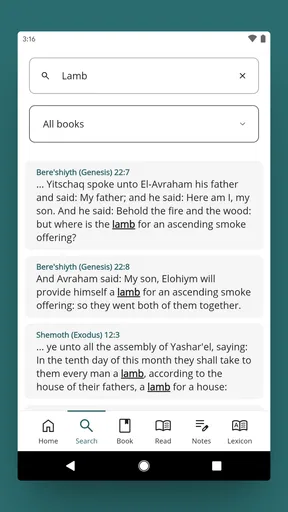
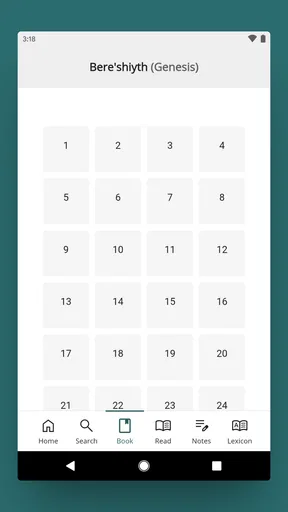
- Search Functionality: Finding specific verses or texts is super easy, making it convenient to locate that one passage you’re thinking about.
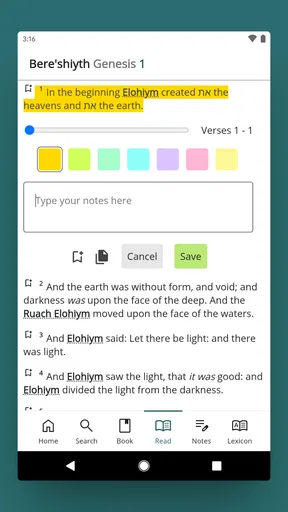
- Customization Options: You can adjust the font size, change the background color, and even bookmark your favorite passages.
Getting to Know the App
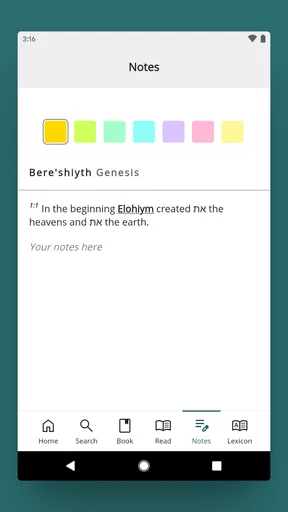
Diving deeper, I found that The Cepher offers more than just reading material. Each text comes with detailed footnotes and annotations that provide context and additional insights. It’s like having a mini-research assistant by your side!
One of the coolest features is the ability to compare different translations. This is a game-changer for anyone interested in understanding the subtle nuances between versions. Plus, it’s all offline, so you can read on the go without worrying about data usage.
First setup and a useful first session
The app is listed at $21.99, so I would approach installation as the start of a deliberate reading tool rather than a casual free download. It is rated Everyone, runs on Android 7.0 or later, and its current version is 22.0.50. The release date is March 7, 2016. Those details help set expectations, but the real decision is whether this particular collection and reading approach match what you want to study.
Once it is open, I recommend resisting the urge to explore every section at once. Start with a passage you already know, then use search to locate it. This is a simple first success: you can check whether the text is easy to find, see how the app presents it, and get a feel for its reading controls before tackling unfamiliar material. If you are comparing versions, keep the same passage open as your point of reference instead of jumping between unrelated books.
For a practical everyday example, imagine you hear a reference during a discussion and want to revisit it later that evening. Search for the passage, read it in context, and bookmark it if you expect to return. When you have more time, follow the accompanying notes or compare the wording across available translations. That small workflow turns a quick lookup into a study session without requiring you to plan an entire research project.
Common points of confusion
A large library can make it hard to know where to begin, and the app’s breadth is not automatically the same thing as a guided course. I would not assume that every reader will share the same understanding of the texts or their place in a study routine. The most useful approach is to read the passage itself first, then use annotations as context rather than treating a note as a replacement for your own careful reading.
Search is most helpful when you have a clear phrase, verse, or book in mind. If you only remember a broad theme, it may take a few attempts to find the precise passage you meant. A practical workaround is to write down a distinctive word or reference when you encounter it, then search that later. Bookmarks can also help keep a short list of passages you want to compare, rather than leaving you to rely on memory after browsing widely.
Offline access is especially convenient when you want to read away from a reliable connection, but it does not remove the need to orient yourself. Before a trip or a study session, I would open the relevant material while connected and make sure I know where to return. That simple habit is useful for any offline reading workflow and avoids turning a quiet reading moment into a hunt through the library.
Who Is It For?
Honestly, The Cepher is for anyone with an interest in religious studies, history, or literature. However, I’d say it’s particularly valuable for students, scholars, and anyone involved in biblical research. The depth of content available is impressive and can aid in both academic and personal exploration. Even if you're just a casual reader, there’s plenty to discover and ponder.
I would especially recommend it to readers who want to explore biblical writings beyond the edition they normally use, or who like to keep reading, reference material, and personal bookmarks together. It can also suit someone who studies in short sessions: a passage during a break, a return to it at home, then a longer look at the notes when there is time. The app’s searchable collection is a practical advantage for that kind of stop-and-start routine.
On the other hand, I would steer away from it if your main need is a plain, familiar Bible reader with a narrow selection and no interest in additional writings. Someone who values a particular translation above all else may be better served by an app centered on that edition. Likewise, for formal academic work, I would use this as a convenient reading and exploration aid, not assume that an app alone replaces the sources and methods required by a course or research project.
How it compares with familiar alternatives
Compared with a standard Bible app, The Cepher’s appeal is less about being the simplest way to look up a well-known passage and more about exploring a broader body of material in one reading space. A conventional e-book reader may offer familiar tools for managing books, but it will not necessarily provide the same focused collection or the same relationship between texts, annotations, and comparisons. The trade-off is that a specialist library can feel less straightforward to a reader who only wants a quick daily reading.
I would think of the choice this way: if you mostly want a familiar translation, quick access, and a lightweight routine, a conventional Bible app may be the more comfortable fit. If you want to compare wording, follow notes, and browse additional writings, this app has a clearer reason to be on your device. Neither approach is inherently better; it depends on whether your goal is a simple reading habit or a more exploratory study session.
My Personal Experience
As someone who enjoys exploring different religious texts, I found The Cepher to be a treasure trove of information. I spent hours browsing through the various books, cross-referencing translations, and delving into the annotations. It’s the kind of app that makes you want to dig deeper and learn more.
On the flip side, the sheer volume of content can be overwhelming at first. But once you get the hang of the navigation tools, it becomes much more manageable. The app could benefit from a tutorial for first-time users, but otherwise, it’s pretty intuitive.
One useful way to keep that abundance manageable is to give each session a narrow task: locate a passage, read the surrounding text, and save only what you genuinely plan to revisit. If you bookmark every interesting line, the saved list can become another crowded shelf. I prefer treating bookmarks as a working set for an active question, then clearing or reorganizing them when that question is resolved.
The app also asks for a particular kind of patience. Comparing translations can reveal differences worth thinking about, but a wording contrast by itself does not explain why it exists. I would use the feature to identify questions and then consult a trusted teacher, study resource, or reference work when I need a deeper explanation. That keeps the app useful without asking it to do more than a mobile reading tool can do.
Making it part of a routine
If you are unsure whether the app will become a regular part of your day, try a modest routine rather than setting an ambitious reading target. Choose a passage connected to a current question, read it once without interruption, and return to it later with the notes or comparison tools. This makes it easier to judge whether the collection and layout genuinely help you think, rather than mistaking the excitement of a new library for a lasting fit.
For a shared discussion, I would use it to prepare a passage and note the questions I want to raise, while remembering that other readers may be using different editions. The app can help me keep my own reference point organized; it does not guarantee that everyone in a group will see the same wording. That is a useful distinction when the goal is a productive conversation rather than proving one version right by default.
Storage and reading comfort are also worth considering in ordinary use. Because the app supports offline reading, it can be convenient on commutes or in places where connectivity is unreliable. I would still test the font and background settings early, especially if I read for longer stretches, then settle on a combination that is comfortable before saving a lot of passages. Small adjustments make extended reading easier without changing the substance of the text.
Final Thoughts
In conclusion, The Cepher is a fantastic app for anyone interested in biblical texts and religious studies. It offers a wealth of information in an accessible format, making it perfect for both study and leisurely reading. While it might take a little time to get used to the plethora of features, the benefits far outweigh any initial confusion. If you're ready to embark on a journey through ancient scriptures, this app is definitely worth checking out.
My recommendation is to decide based on your reading goal, not on the size of the library alone. If you want a focused way to explore the collection, search for passages, compare available translations, and return to notes offline, it has meaningful strengths. If you want a very simple reader or rely on a specific edition that is not your focus here, another Bible app may serve you better. For readers drawn to its particular approach, starting with one familiar passage is an easy way to see whether it earns a place in your study routine.
Verdict
Strengths of The Cepher
- Comprehensive biblical texts and references.
- User-friendly interface for easy navigation.
- Offline access to all content.
- Includes apocryphal and historical texts.
- Regular updates with new features.
Limitations of The Cepher
- Large file size may impact storage.
- Some texts may have translation errors.
- Limited customization options.
- In-app purchases for premium features.
- Not suitable for casual readers.
Similar Picks in This Category
View All
Google Play Books & Audiobooks
Google LLC4.7

네이버 - NAVER
NAVER Corp.3.5

Wattpad - Read & Write Stories
Wattpad.com3.7

King James Bible - Verse+Audio
Ozion4.8

Bible Offline-KJV Holy Bible
Bíblia Offline4.9

Amazon Kindle: Reading App
Amazon Mobile LLC4.8
Frequently Asked Questions
What is The Cepher app and what does it offer?
The Cepher app is a comprehensive biblical resource that provides an extensive collection of ancient texts, including the complete set of 87 books in the traditional Bible, along with additional scriptures such as the Apocrypha. It aims to restore the original Hebrew names and offers detailed translations, making it a valuable tool for serious students of biblical studies.
Is The Cepher app available for both Android and iOS devices?
Yes, The Cepher app is available for download on both Android and iOS platforms. Users can easily find it on the Google Play Store and the Apple App Store, ensuring accessibility across different devices. This compatibility allows users to access its rich biblical content from their preferred mobile devices.
Does The Cepher app require an internet connection to function?
Once downloaded, The Cepher app functions offline, allowing users to access its content without needing an internet connection. This feature is particularly useful for individuals who wish to study or reference the texts while traveling or in areas with limited internet access.
Are there any additional costs associated with The Cepher app?
While the initial download of The Cepher app may have a cost, there are no hidden fees or subscription charges beyond the purchase price. Users get full access to all features and content upon purchase, ensuring a one-time payment for comprehensive biblical resources.
How user-friendly is The Cepher app for beginners?
The Cepher app is designed with an intuitive interface, making it accessible even for beginners unfamiliar with biblical texts. It includes features such as search functions, bookmarking, and easy navigation through the books, chapters, and verses, enhancing the overall user experience and learning process for all levels.
